Streamline Investor Engagement with EdifyBiz's Investor Relations Module: Effortlessly Manage and Retrieve Investor Details with Five Essential Sub-Modules
- Client Details
- Buy/ Sell
- Presentation & Grills
- Feedback
- Investor Master
1. Add New Client
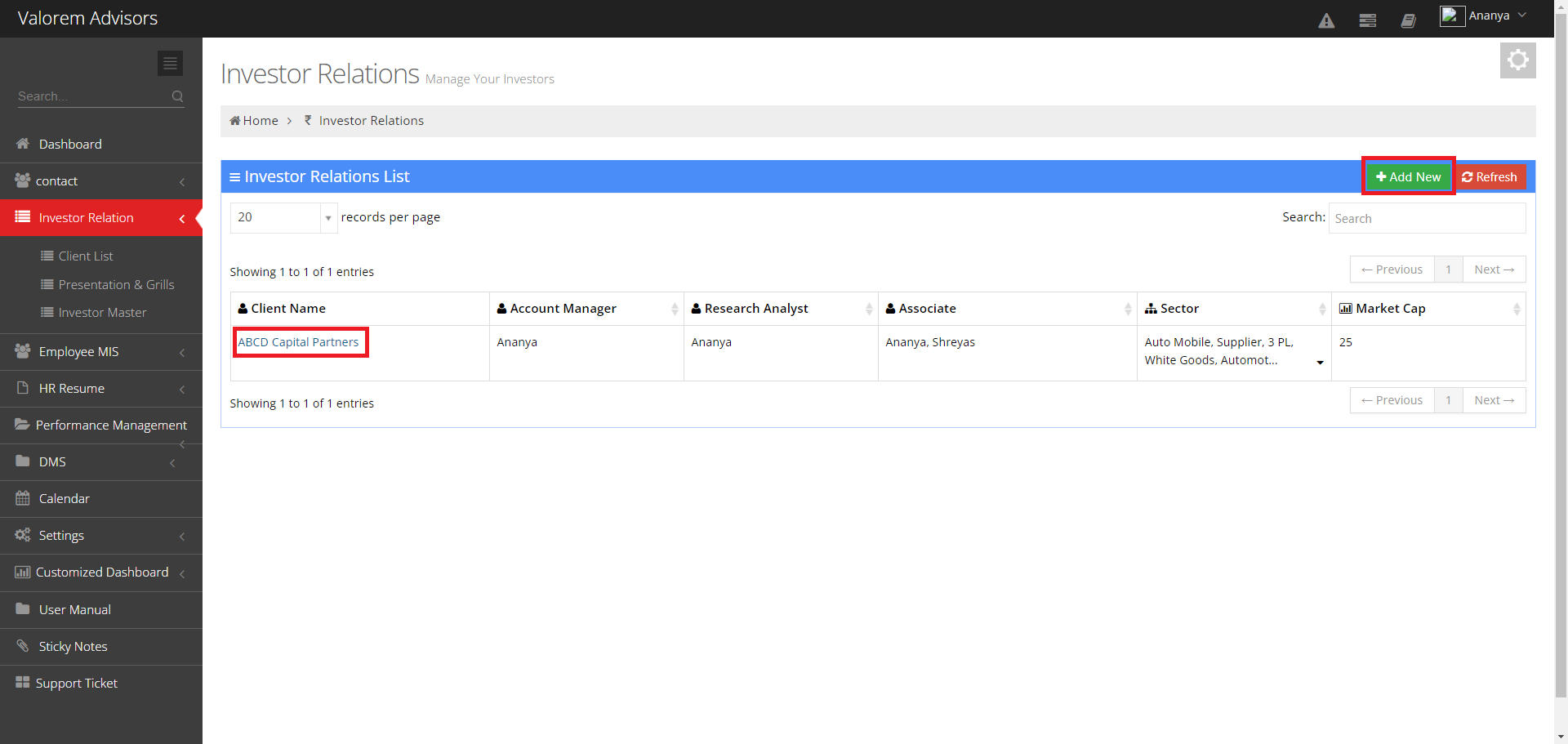
Investor Relations List module of EdifyBiz enables user to add client details and effectively view all the clients list in this section.
- Add New: To add client details, users can simply click on the "Add New" option and proceed to fill in all the necessary information.
- View: To access details, users can click on the client name to view the information.
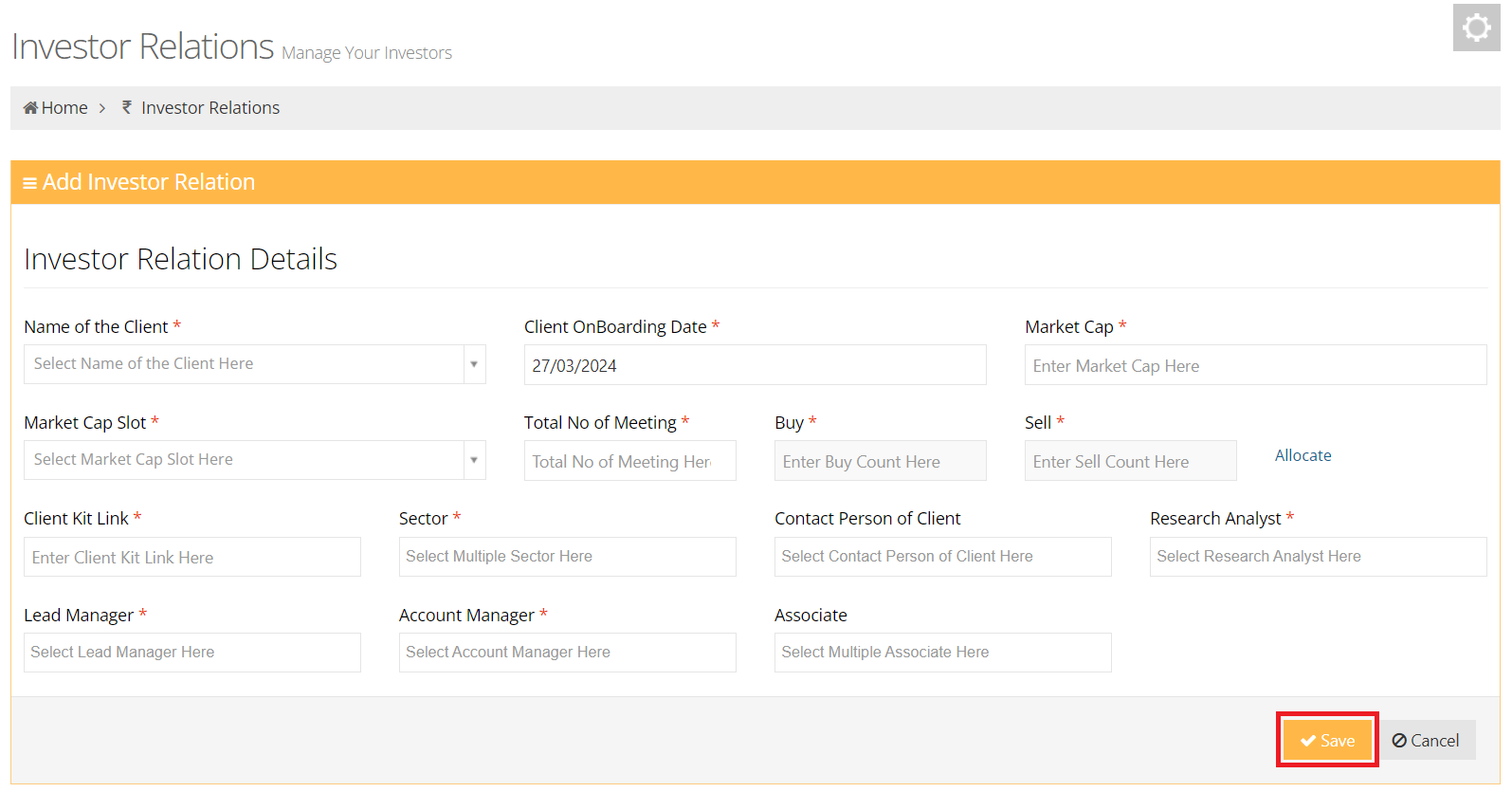
Add Investor Relations module of EdifyBiz enables user to add client details and effectively track their share transactions of Buy and Sell.
- Users have the ability to customize Sector and Market Cap Slots according to their preferences using the Master and Investor Master module.
- Buy & Sell Counts are automatically determined based on a predefined formula.
- Users can utilize the "Allocate" option to adjust Buy & Sell Counts according to their preferences.
After entering these details, press the Save button to add the new client.
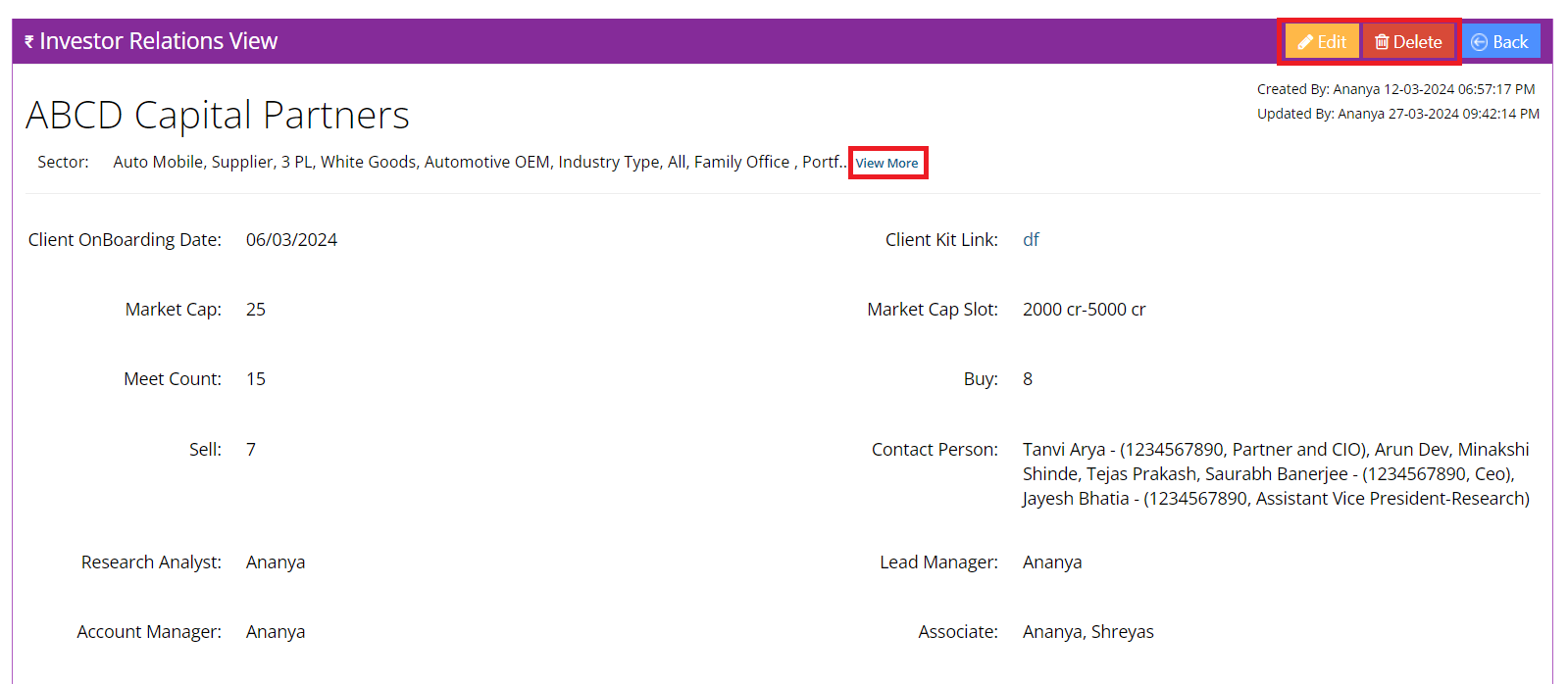
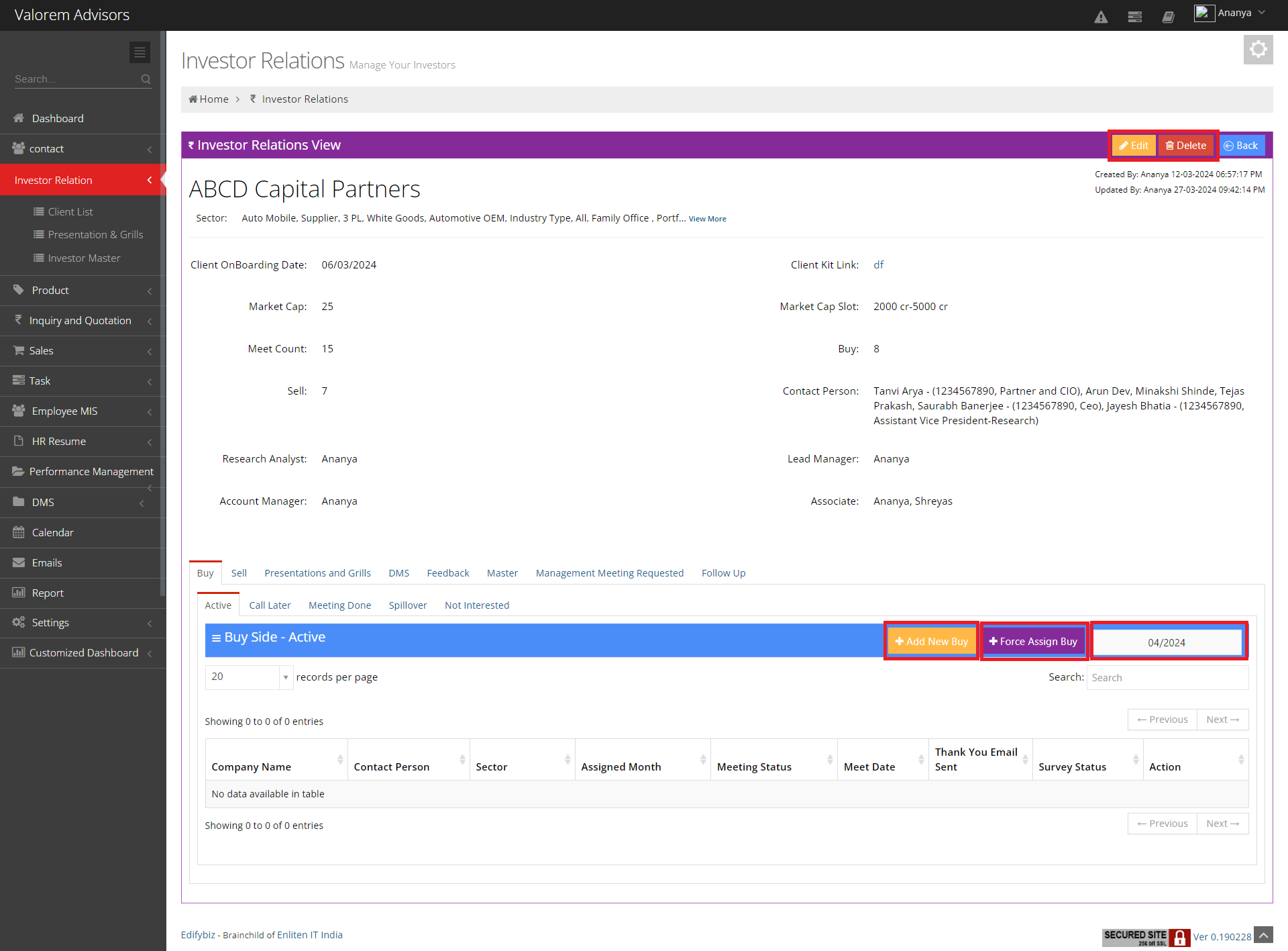
View Investor Relations
- Users have the option to Edit and Delete records.
- Users can expand sectors and view by utilizing the "View more" feature.
2. BUY AND SELL
2.1 Tab Active
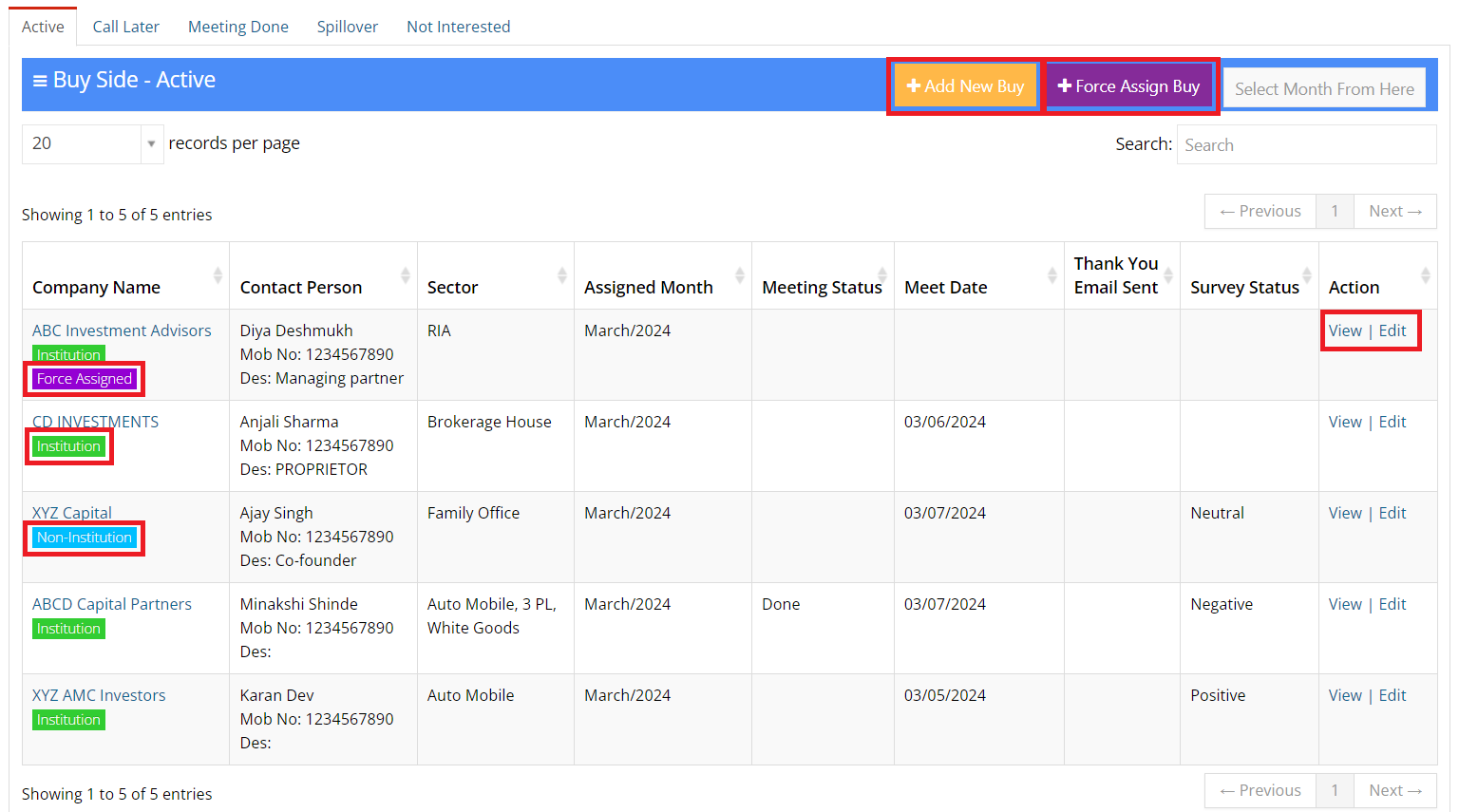
- Active Tab: This section displays all assignments scheduled for the current month.
- In this section, Executives can easily View and Edit all assignments scheduled using the options provided under the Action column.
- Using "Add New Buy" Lead Managers can easily access the filtered Assignment List based on Investor Client Sector allowing them to efficiently assign targets to executives for Buy Side, assigning them according to a predefined formula.
- Using "Force Assign Buy" Lead Managers have the capability to add clients to the Active Buy Tab without restrictions, allowing for flexible allocation as needed.
- Label Institution and Non-Institution indicates the Clients Institution Type
- Label Force Assigned signifies that the targeted clients have been allocated using the "Force Assign Buy" option.
2.2 BUY - Assignment Pool and Force Assign Buy
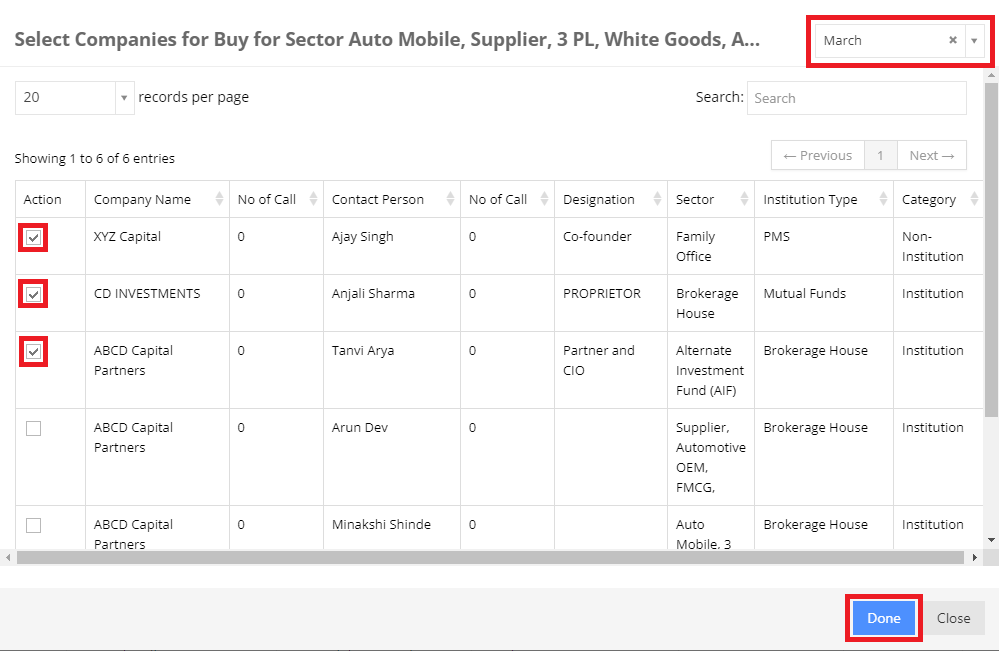
This section of Client List module enables Lead Manager to Assign Buy Side details of Individual client to the executive. It comprises following fields :
- Sector: This list serves as a filtration mechanism based on the sector, ensuring that only Investor Clients belonging to the specified sector are targeted.
- Assigned Month: This field indicates the specific Month in which the executive should target this individual client.
- Action: The Lead Manager can efficiently assign multiple Buy Side details by simply selecting checkboxes all at once.
Once you've selected these checkboxes, simply press the "Done" button to include the Buy Side Details.
2.3 Sell - Assignment Pool and Force Assign Sell
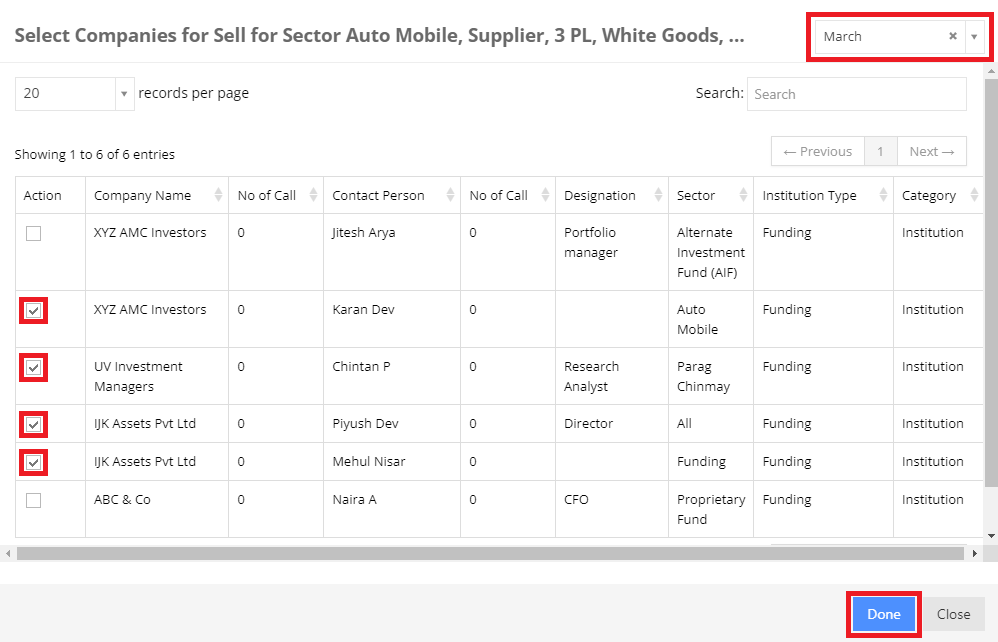
This section of Client List module enables Lead Manager to Assign Sell Side details of Individual client to the executive. It comprises following fields :
- Sector: This list serves as a filtration mechanism based on the sector, ensuring that only Investor Clients belonging to the specified sector are targeted.
- Assigned Month: This field indicates the specific Month in which the executive should target this individual client.
- Action: The Lead Manager can efficiently assign multiple Sell Side details by simply selecting checkboxes all at once.
Once you've selected these checkboxes, simply press the "Done" button to include the Sell Side Details.
2.4 Edit Buy Side and Sell Side Details
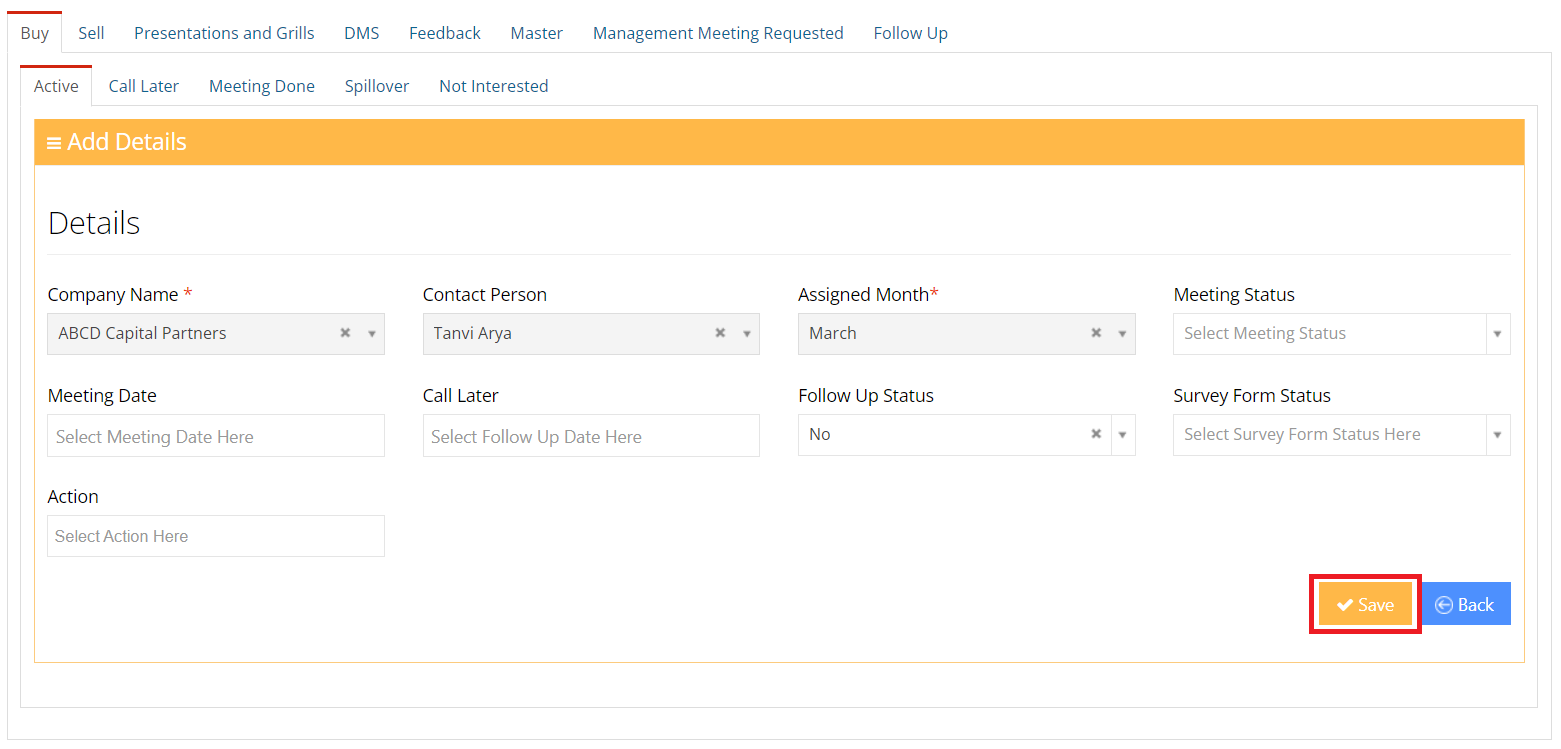
- This section within the Buy and Sell Tab empowers executives to focus on their assigned clients and efficiently update their progress on a client-by-client basis.
Upon targeting their clients, executives can update the status by simply clicking on the "Save" button.
2.5 View Buy Side and Sell Side Details
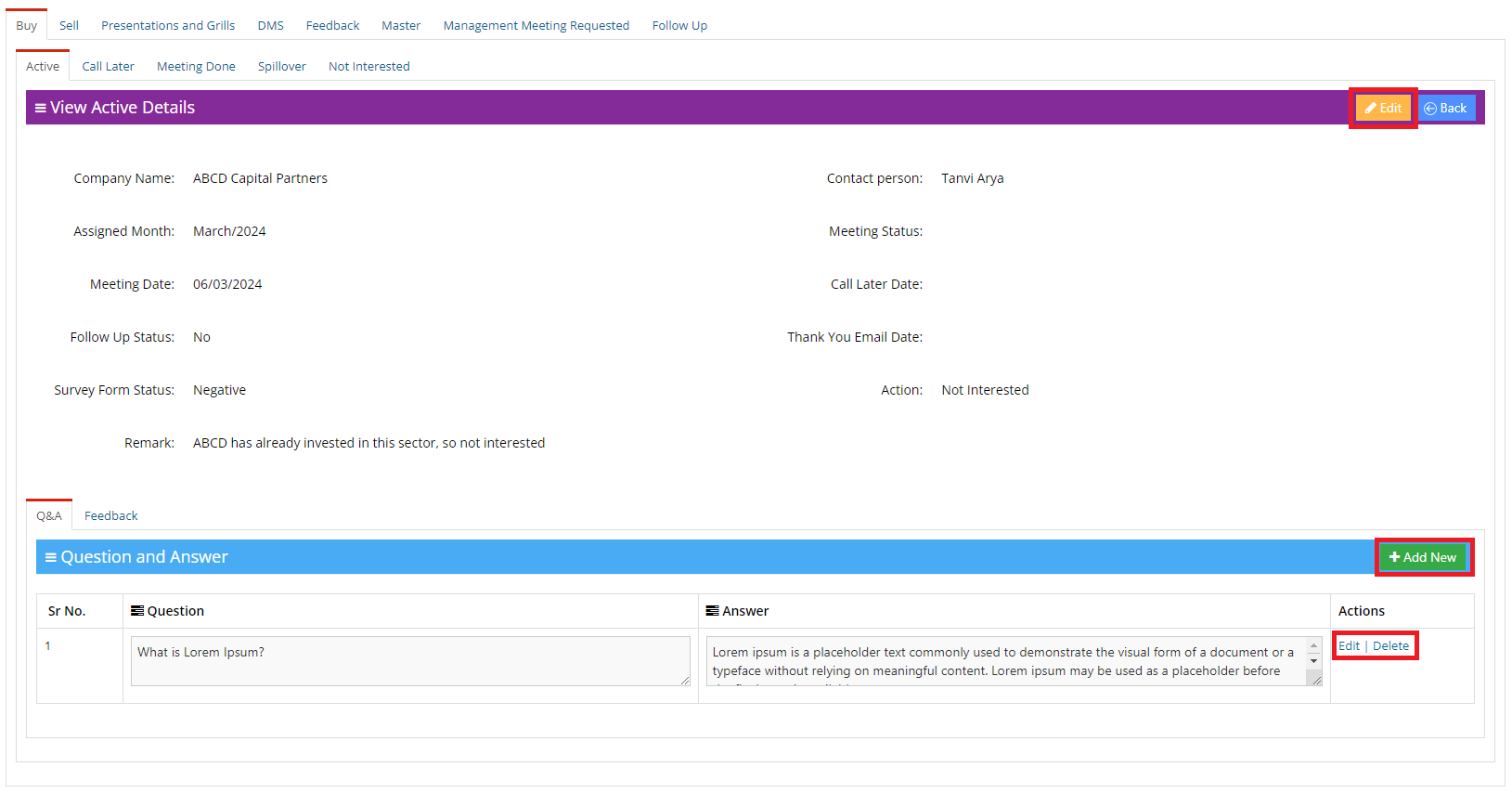
- Users have the option to "Edit" data of Buy and Sell Side Details, simply clicking on the Edit Option.
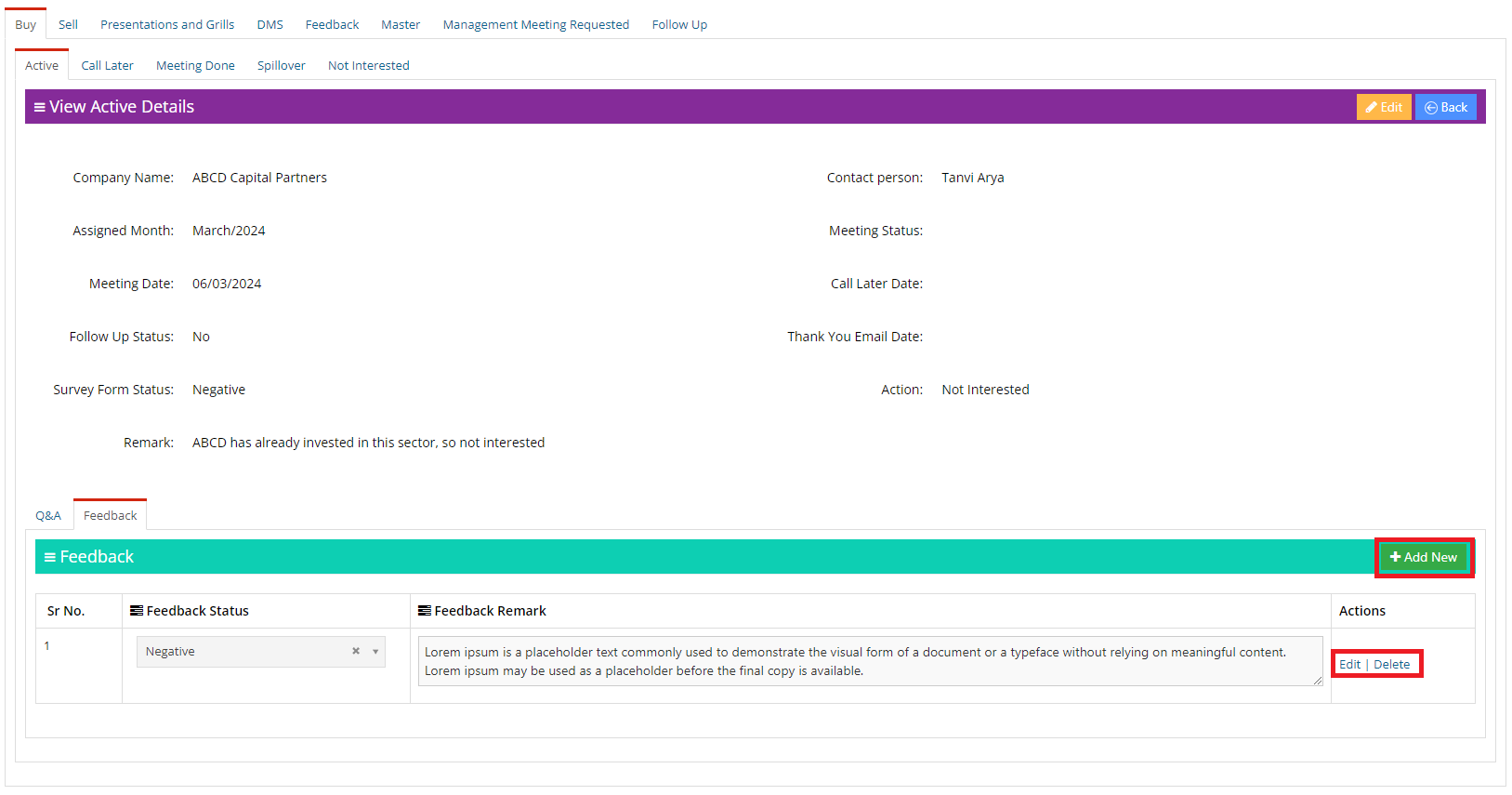
- Within the Buy and Sell Tab view, users have the ability to seamlessly "Add" Questions and Answers within "Q&A Tab" and "Add" Targeted Client Feedback within "Feedback Tab" that were discussed with the client during meetings, thereby centralizing all Q&A and Feedback records for easy management.
2.6 Tab Call Later
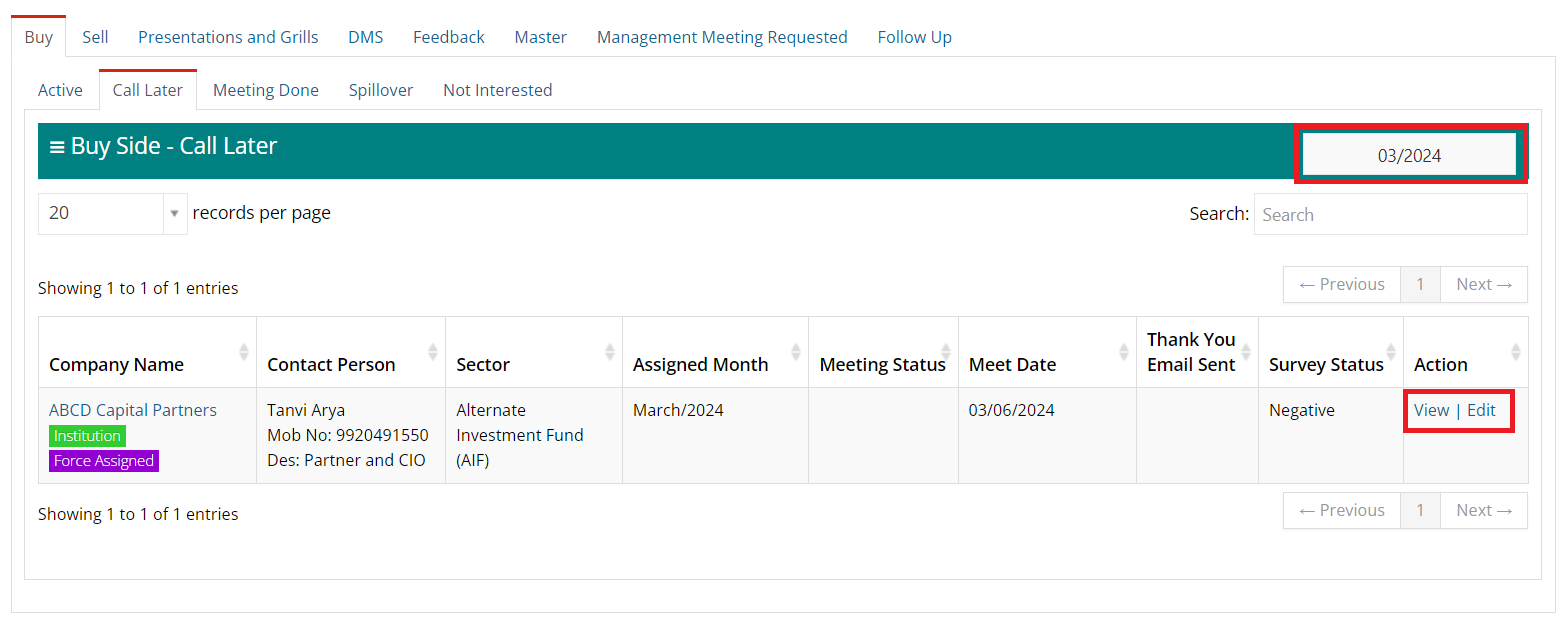
- When clients request a callback, users can update their status in the "Call Later" field, making those clients visible in the "Call Later" tab.
- If no follow-up has been conducted and updated for Call Later Clients within 60 days, they will return to the assignment pool and will be removed from this Call Later Tab after the 60-day period.
- In this section, Executives can easily View and Edit all assignments scheduled using the options provided under the Action column.
2.7 Tab Meeting Done
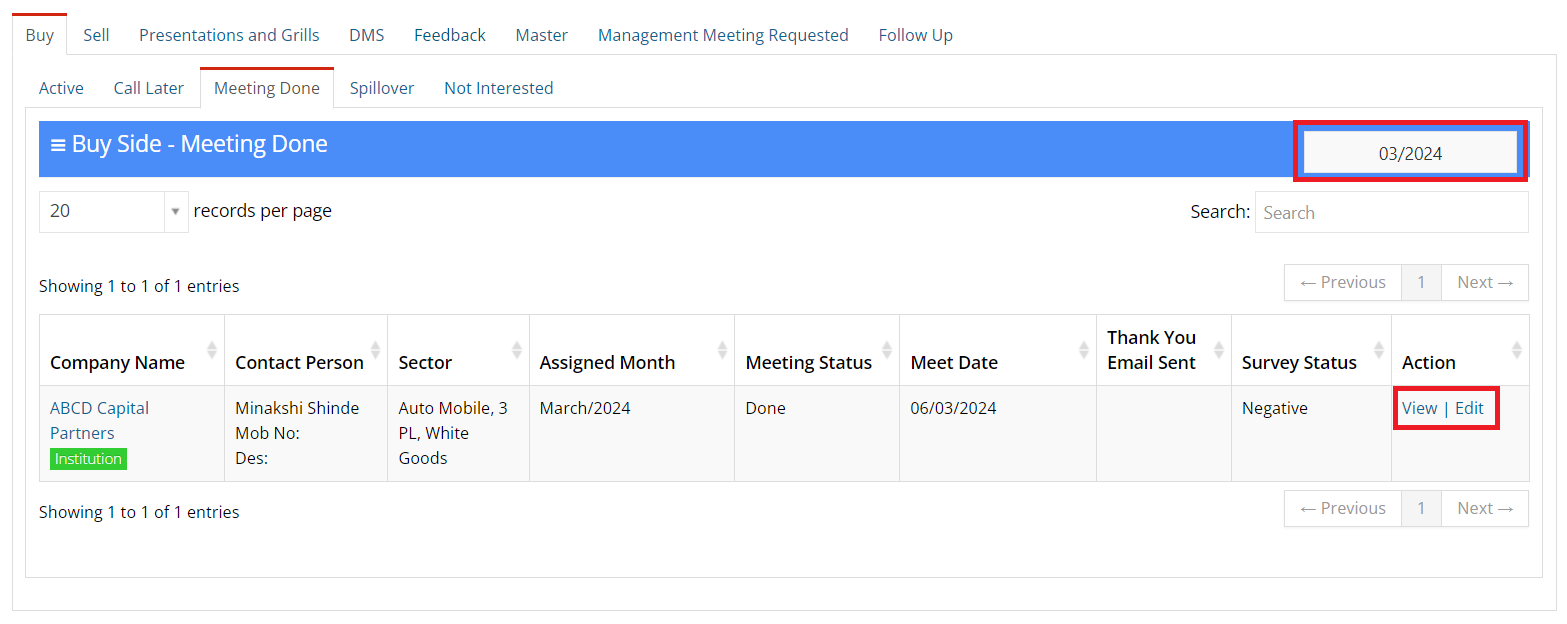
- Meeting Done records will be accessible in the Meeting Done Tab.
- Users can utilize the "Month Filter" option to view the records of meetings done in each month.
2.8 Tab Spillover
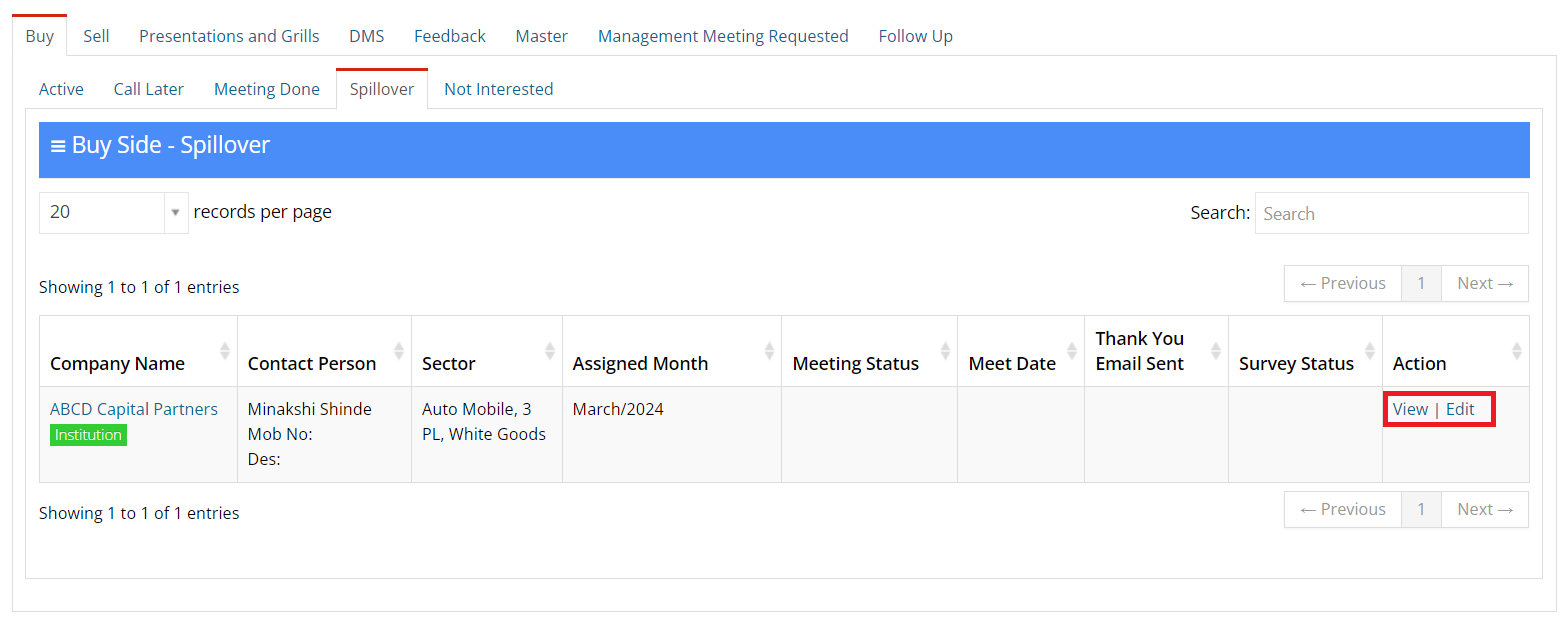
- If an Executive hasn't targeted or followed up with assigned clients by the end of the month, those clients will be transferred to the Spillover tab for 60 days
- After crossing 60 days they will return to the assignment pool and will be removed from this Spillover Tab.
2.9 Tab Not Interested
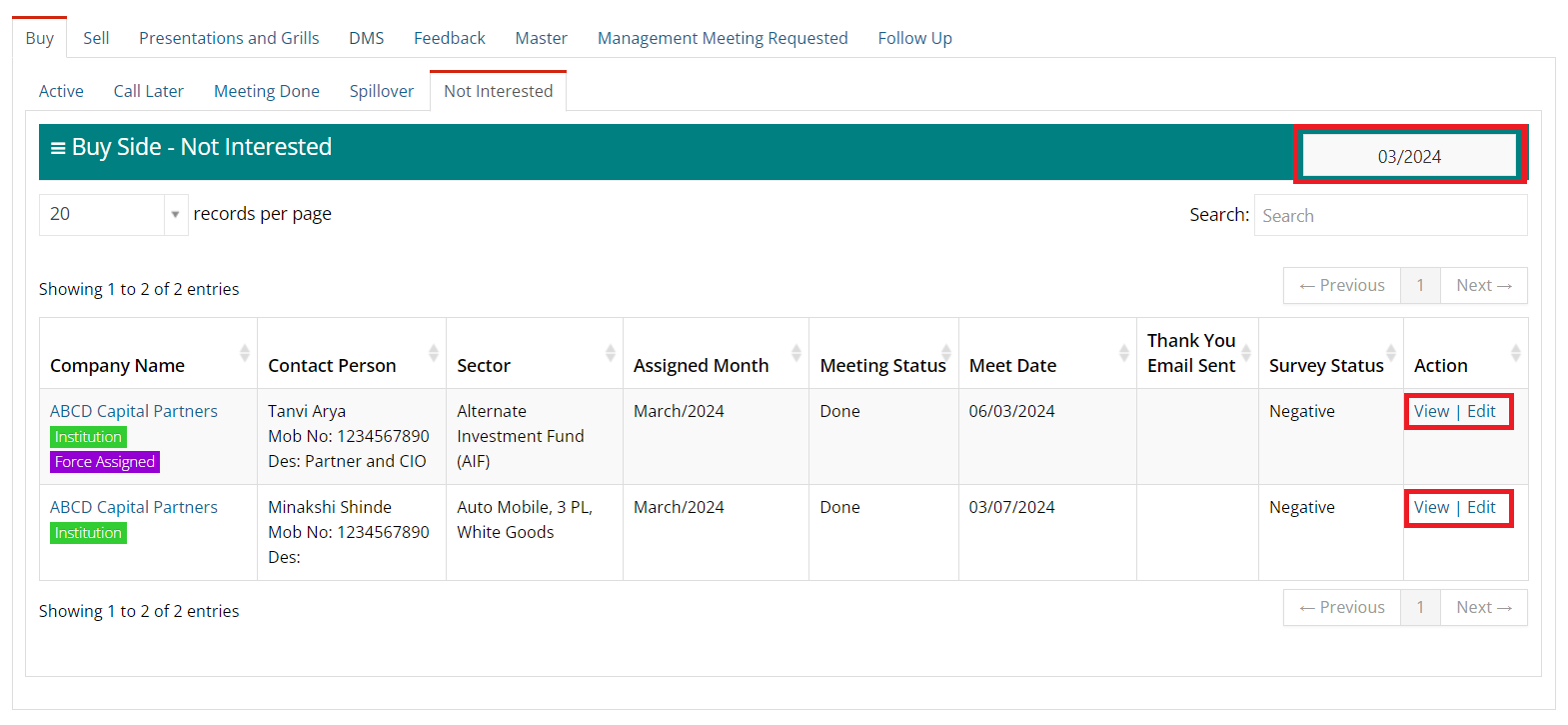
- Clients who express Not Interested will be listed in this tab, allowing other companies to target them until they are marked as "Not Interested".
- After a year of being marked as "Not Interested," the client will become eligible to reappear in the Assignment Pool.
2.10 Tab Question and Answer
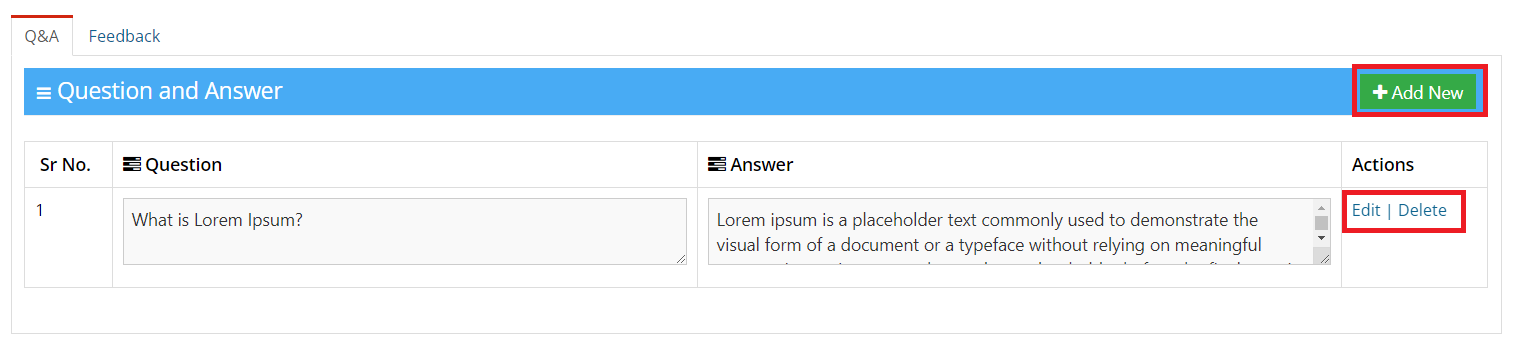
- Within the Buy and Sell Tab view, users have the ability to seamlessly "Add" Questions and Answers that were discussed with the client during meetings, thereby centralizing all "Q&A" records for easy management.
- Simply clicking on Add New, user can add the Question and Answer discussed during meeting
- Users have the option to Edit & Delete "Q&A" records, simply clicking on the "Edit" and "Delete" Option.
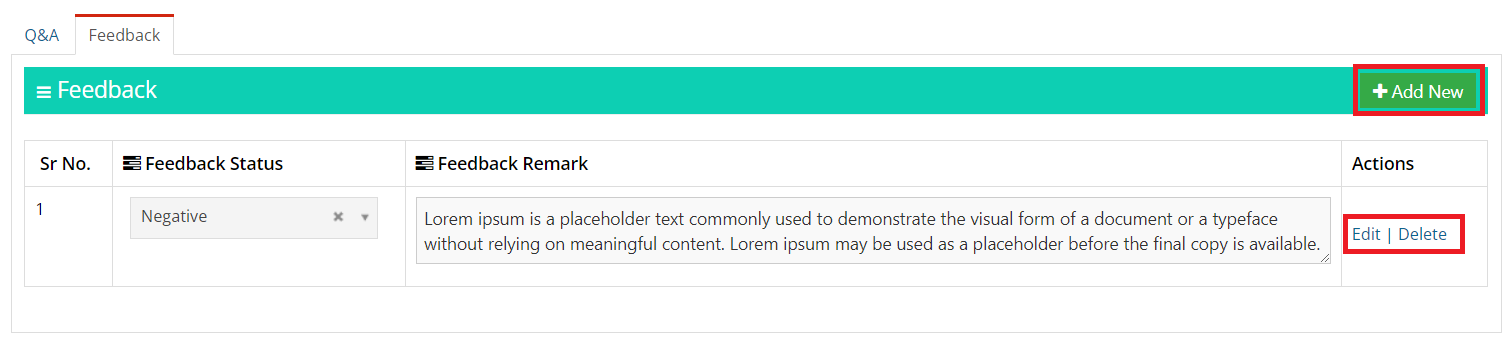
2.11 Tab Feedback
- Within the Buy and Sell Tab view, users have the ability to seamlessly "Add" client Feedback observed during meeting and update it for streamlined management.
- Simply clicking on Add New, user can add the Client Feedback and Remark observed during meeting
- Users have the option to Edit & Delete "Feedback" records, simply clicking on the "Edit" and "Delete" Option.
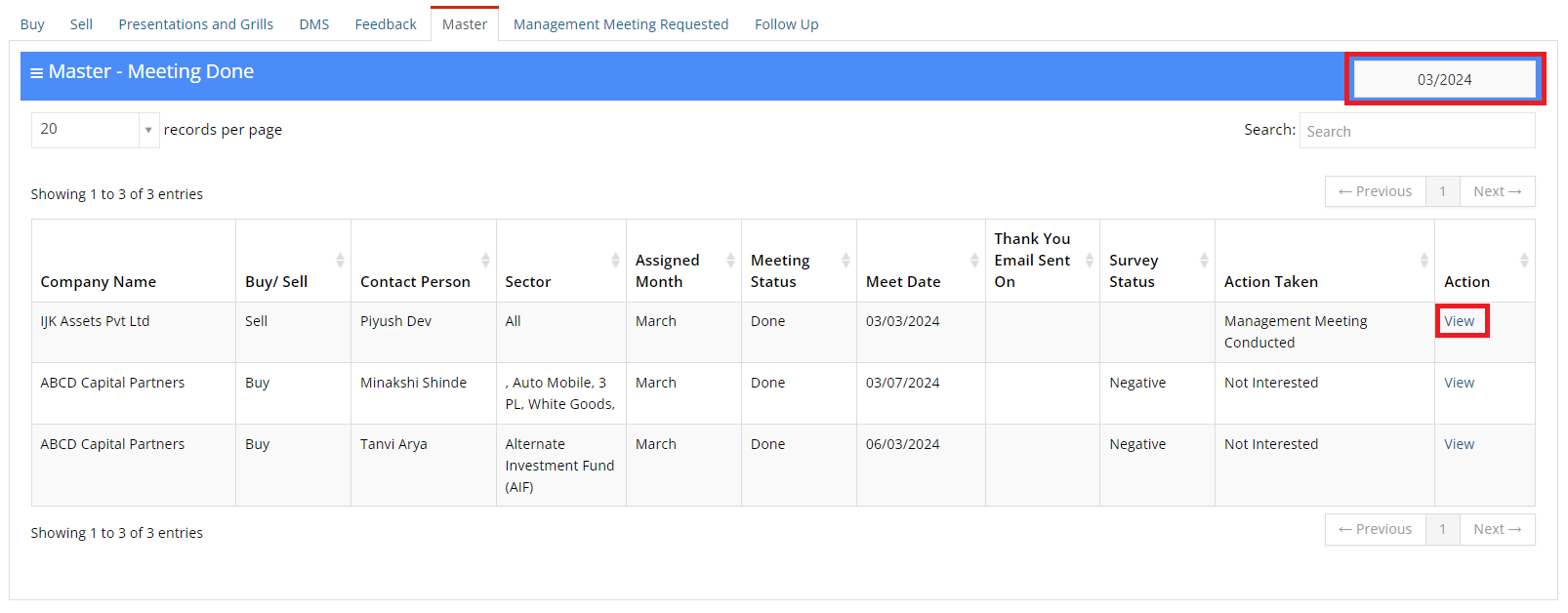
2.12 Tab Master - Meeting Done
- All Meeting Done records of Buy and Sell Side will be visible in the Master of Meeting Done Tab
- Users can utilize the "Month Filter" option to view the records of meetings done in each month.
- In this section, Users can easily View all the details using option provided under the Action column.
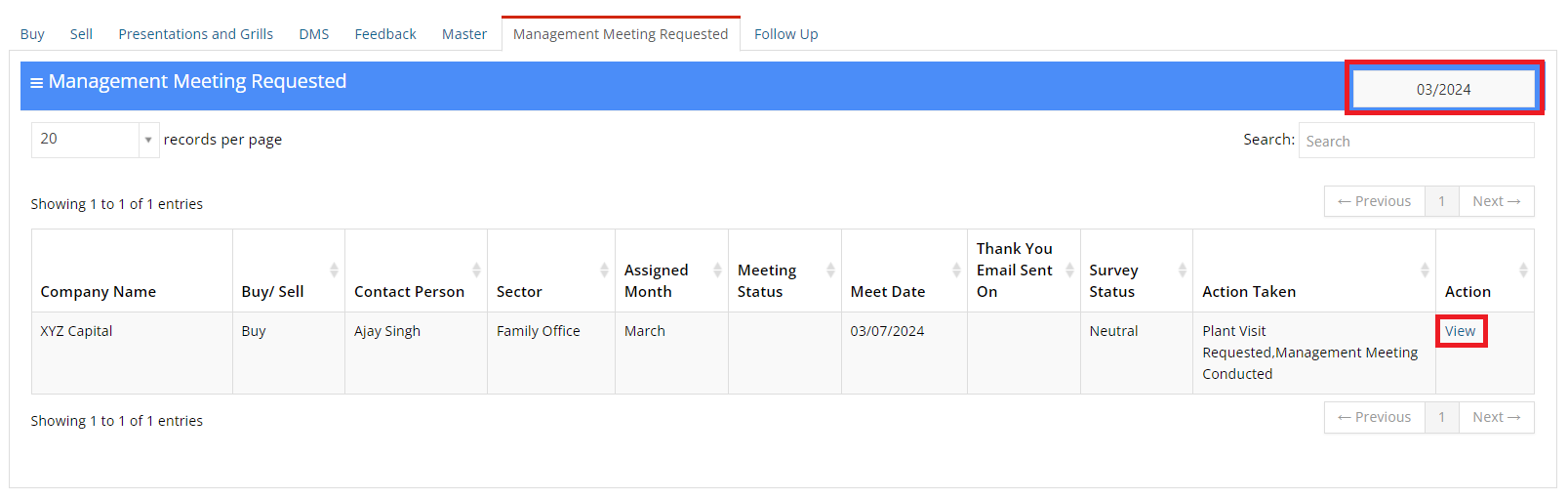
2.13 Tab Management Meeting Requested
- All Management Meeting Requested and Plant Visit Requested records of Buy and Sell Side will be visible in the Master of Management Meeting Requested Tab
- Users can utilize the "Month Filter" option to view the records of Management Meeting Requested and Plant Visit Requested in each month.
- In this section, Users can easily View all the details using option provided under the Action column.
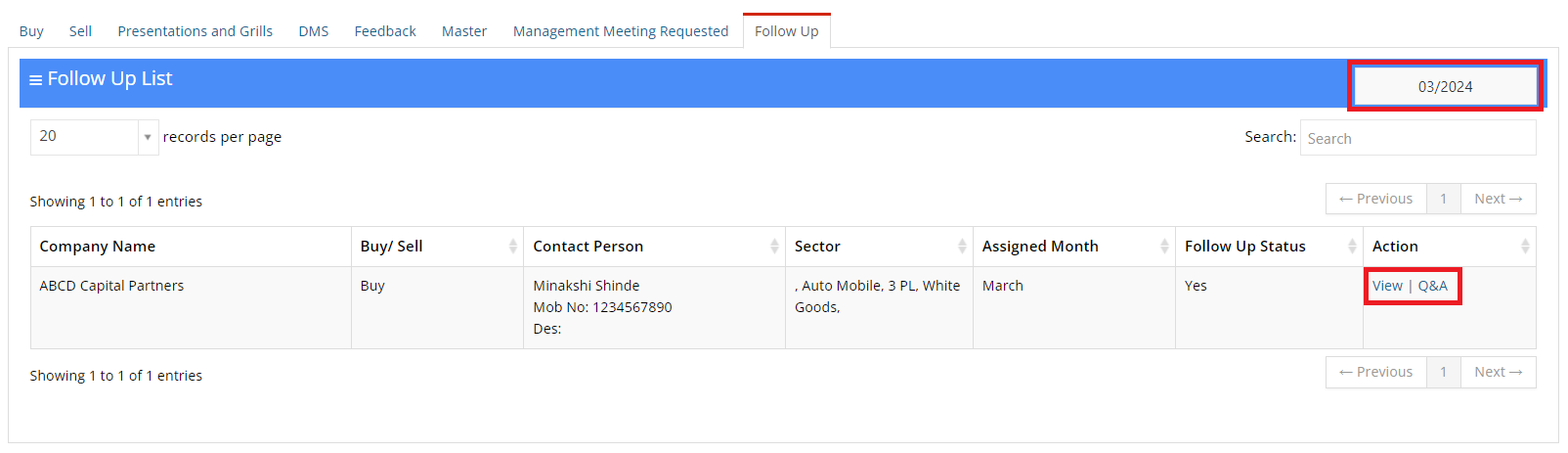
2.14 Tab Follow Up List
- In Tab Follow Up List, Users can see all the records of followup clients of Buy side as well as Sell side and can do followup accordingly
- Users can utilize the "Month Filter" option to view the records of Management Meeting Requested and Plant Visit Requested in each month.
- In this section, Users can easily View all the details using option provided under the Action column.
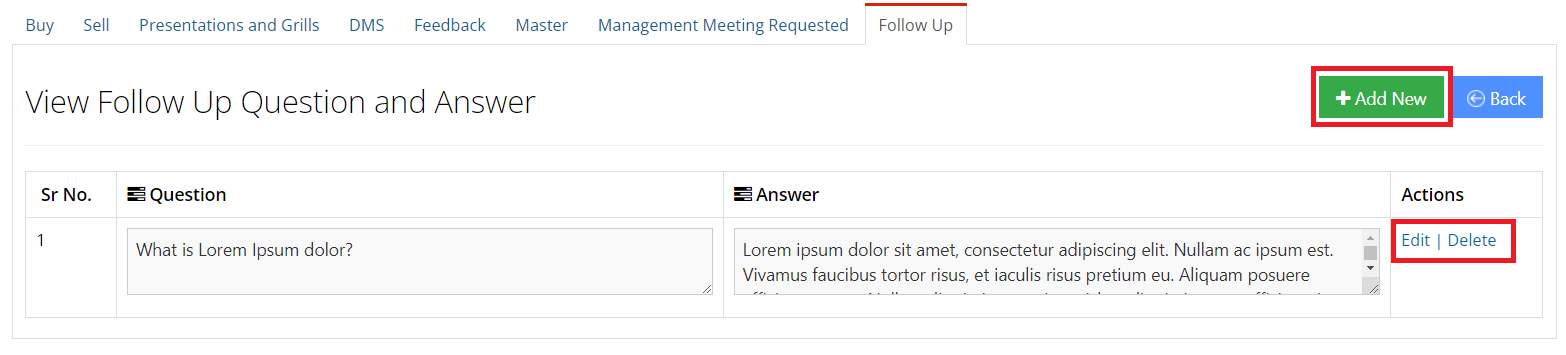
- By Clicking on Q&A options, users have the ability to seamlessly "Add" Questions and Answers that were discussed with the client during "Follow-up" meetings, thereby centralizing all "Q&A" records for easy management.
Follow Up - Question and Answer
- Simply clicking on Add New, user can add the Question and Answer discussed during Follow-up meetings
- Users have the option to Edit & Delete "Q&A" records, simply clicking on the "Edit" and "Delete" Option.
3. Presentation and Grills
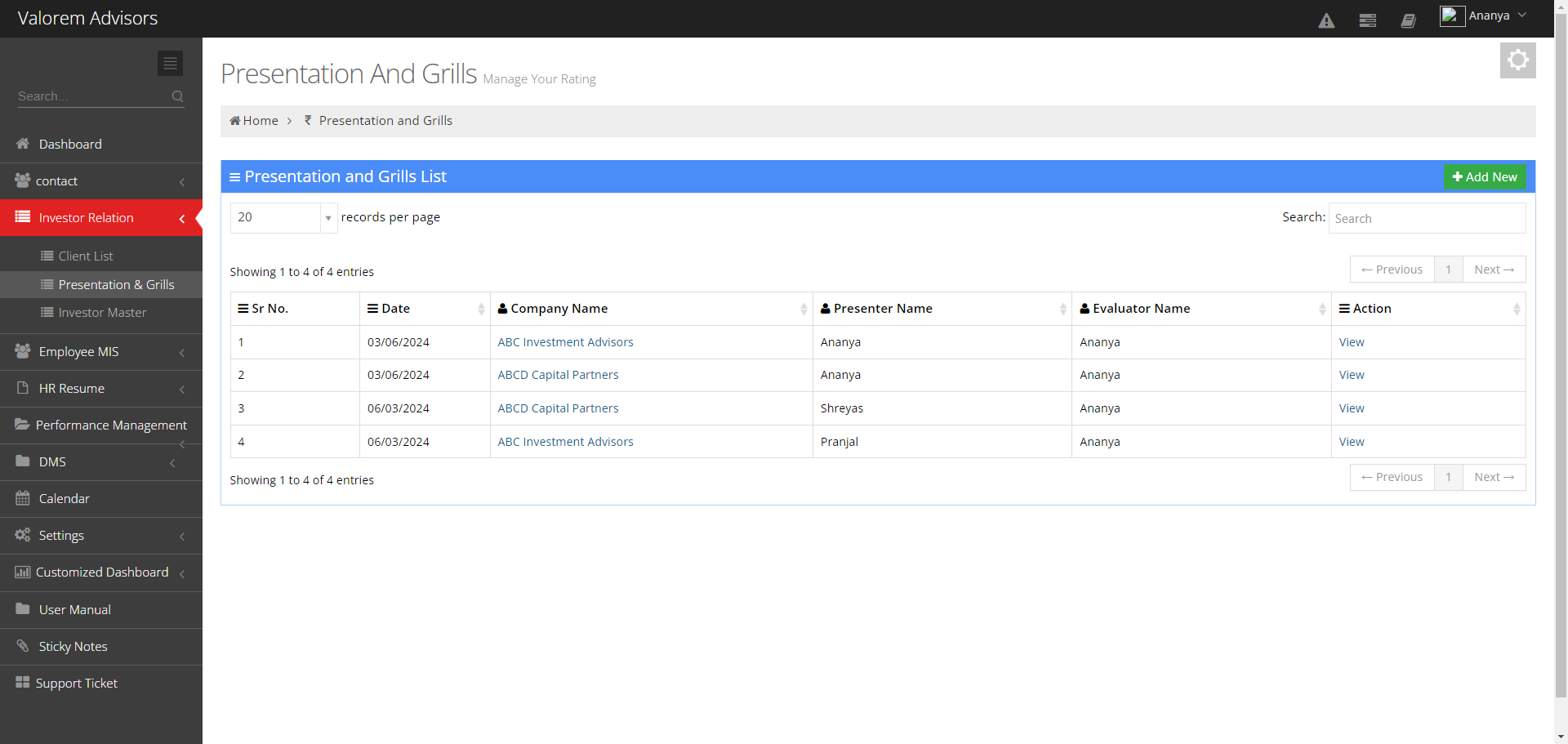
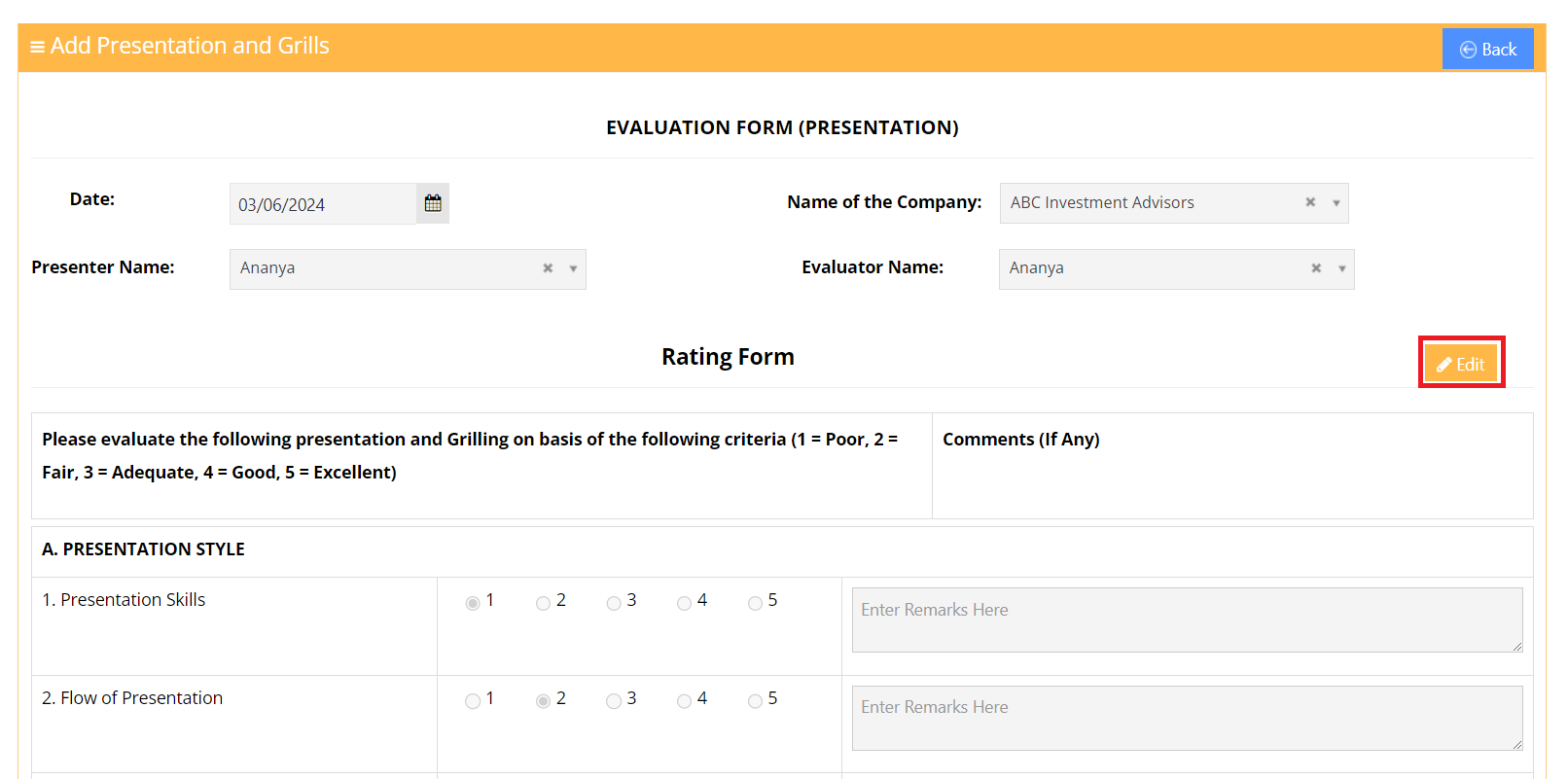
The "Presentation and Grills" module is designed as a separate form, providing evaluators with the capability to rate presenters.
- Add New: By selecting "Add New," evaluators can easily access the Rating form and assign ratings to the presenter who presented the meeting.
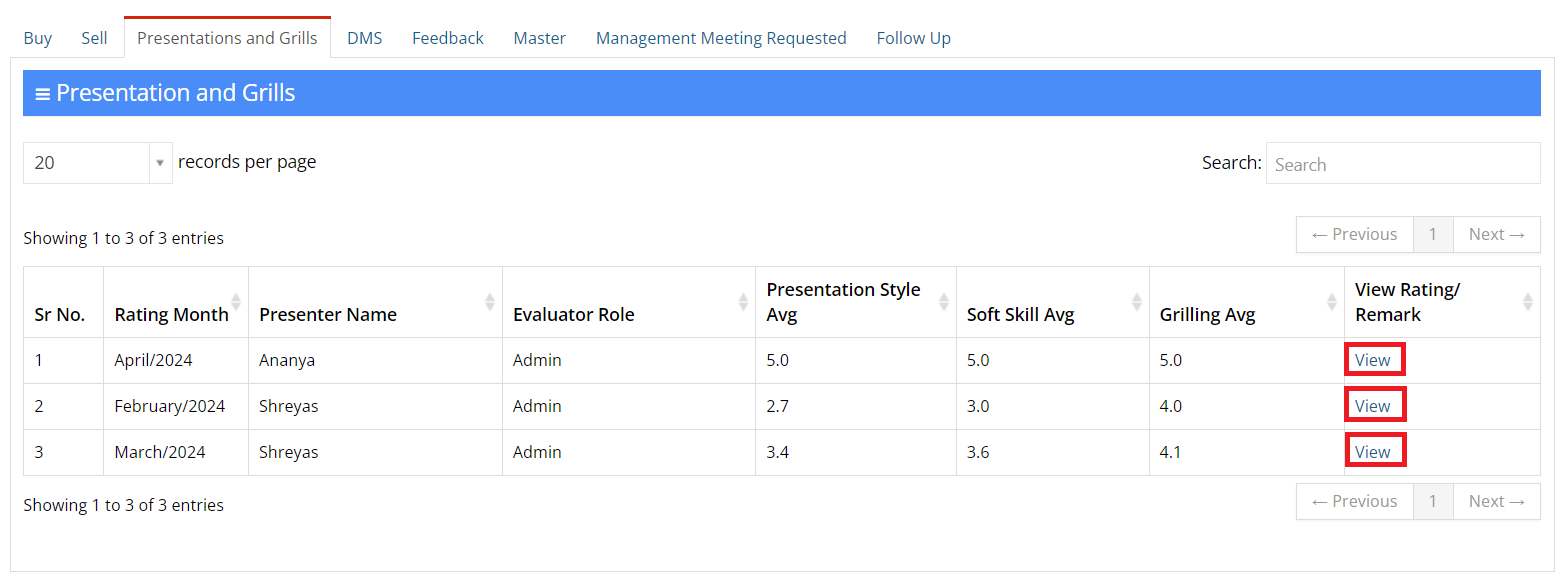
- View: With View option Users can view the submitted the form.
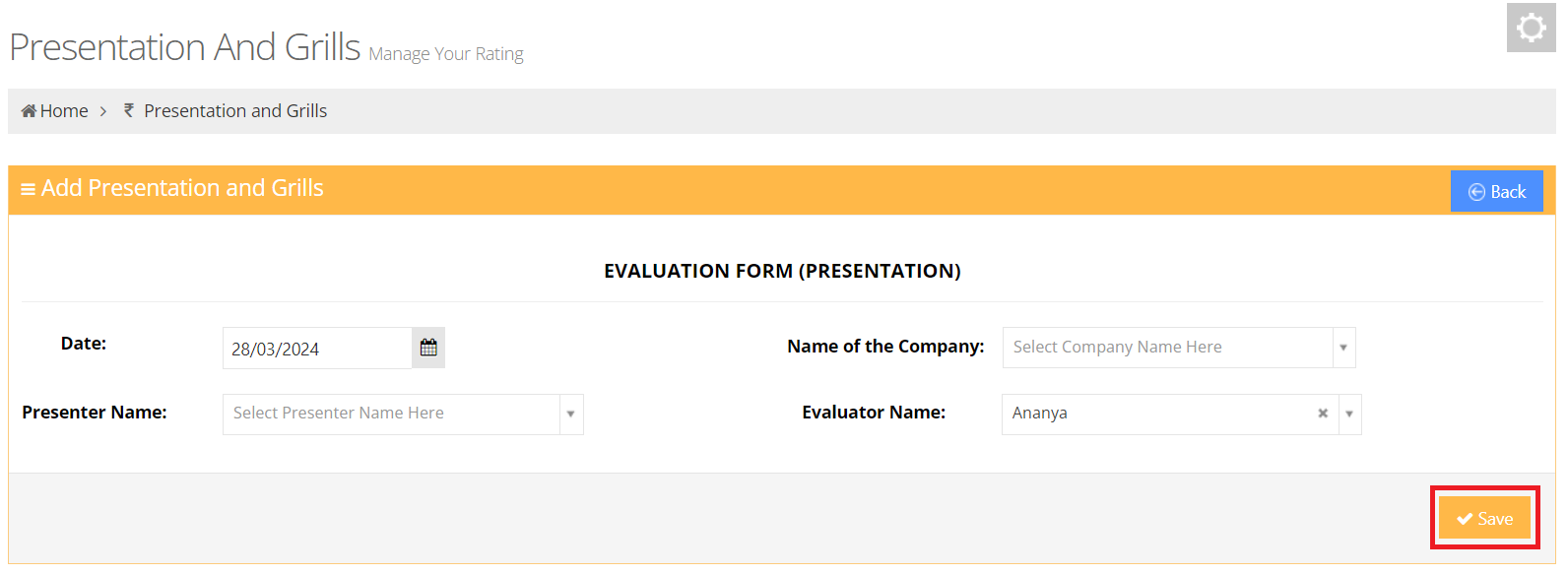
- Users can access the Rating form by completing the necessary details and then clicking the "Save" button.
- You will be directed to the rating form where you can provide your ratings accordingly.
- To rate the presenter, please ensure all details are filled out before clicking the "Save" button to submit the rating form.
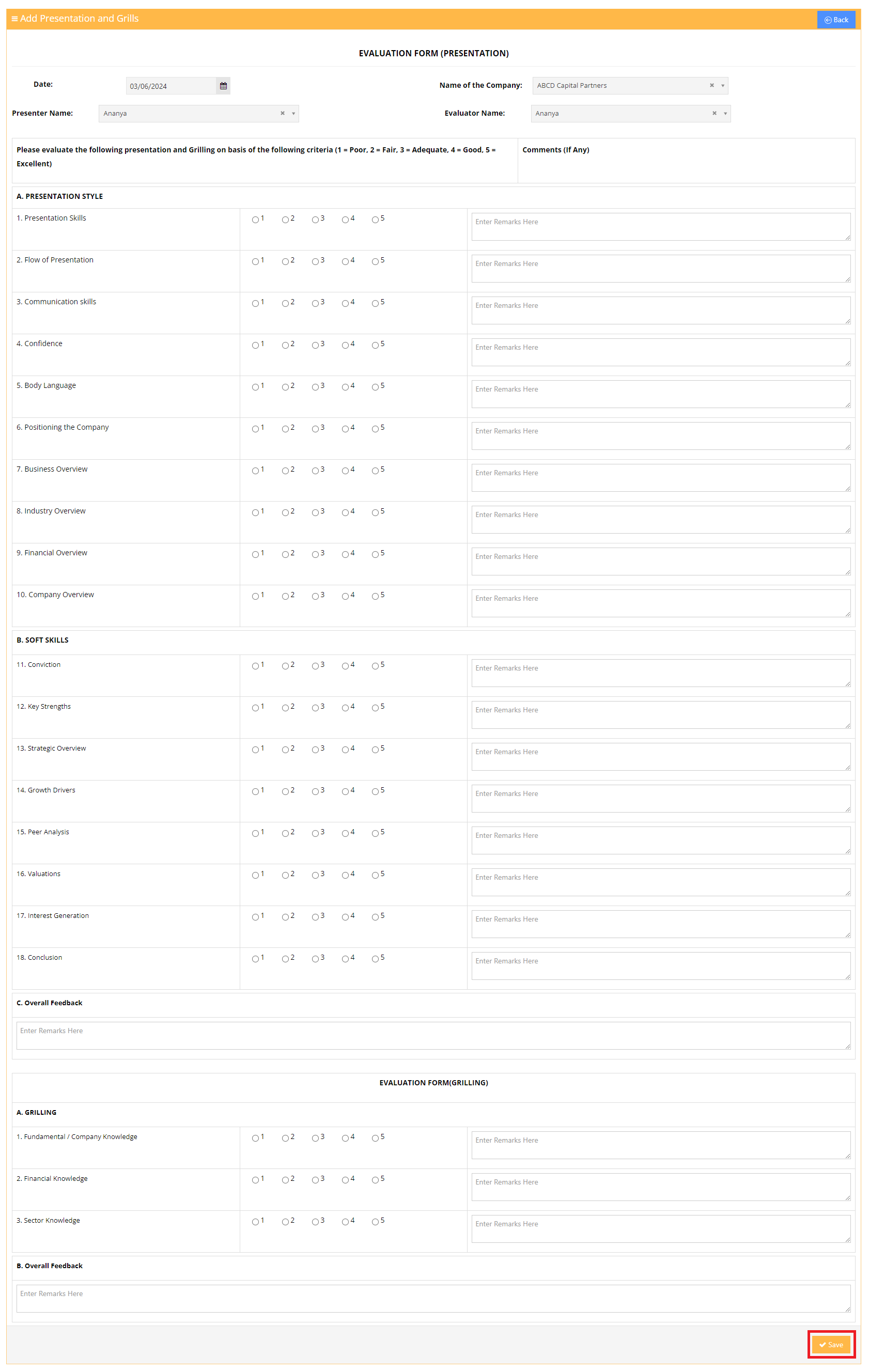
- Users can easily modify their rating by selecting the "Edit" option and making the necessary changes.
Tab Presentation and Grills
- In Tab Presentation and Grills, Lead Managers can view the average rating of the presenter across all evaluators.
- The Evaluator role specifies the role of the individual who provided the rating.
4. Feedback (Master - Download In Excel)
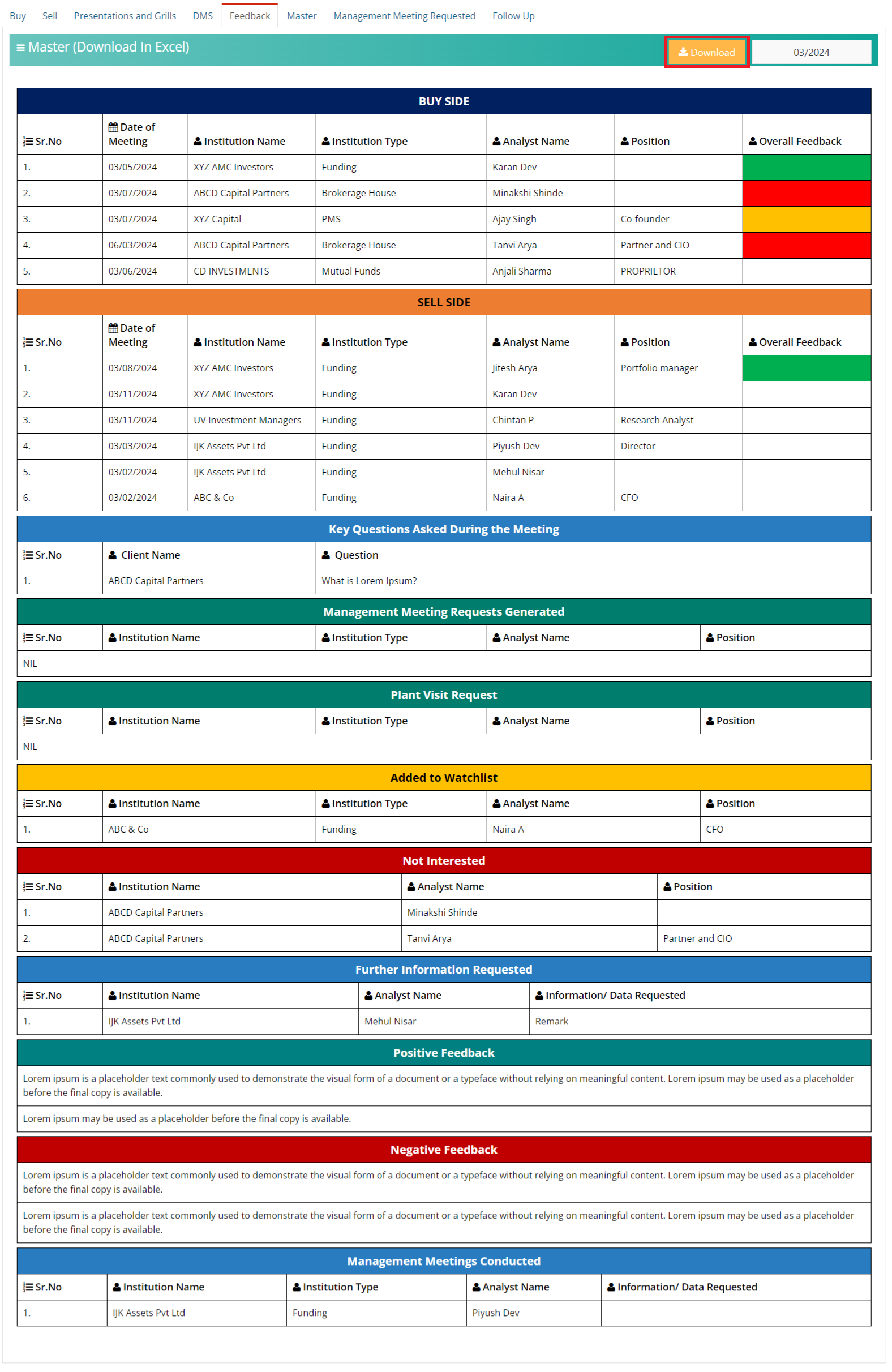
This sub-module serves as a centralized platform for viewing and downloading all information in one convenient location.
- Download: By clicking on "Download," users can conveniently access this data in Excel format.
- Overall feedback: Positive ratings are denoted by "Green Color", neutral ratings by "Orange Color", negative ratings by "Red Color", and the absence of color indicates that no rating has been provided.
- Month Filter: Users can utilize the "Month Filter" option to view all the records in each month and download as well.
5. Investor Master
The Investor Master Module of Edifybiz enables the user to set values to fields that can be used by other modules. Investor Master is divided into the following sub-modules: Institution Type and Market Cap Slot.
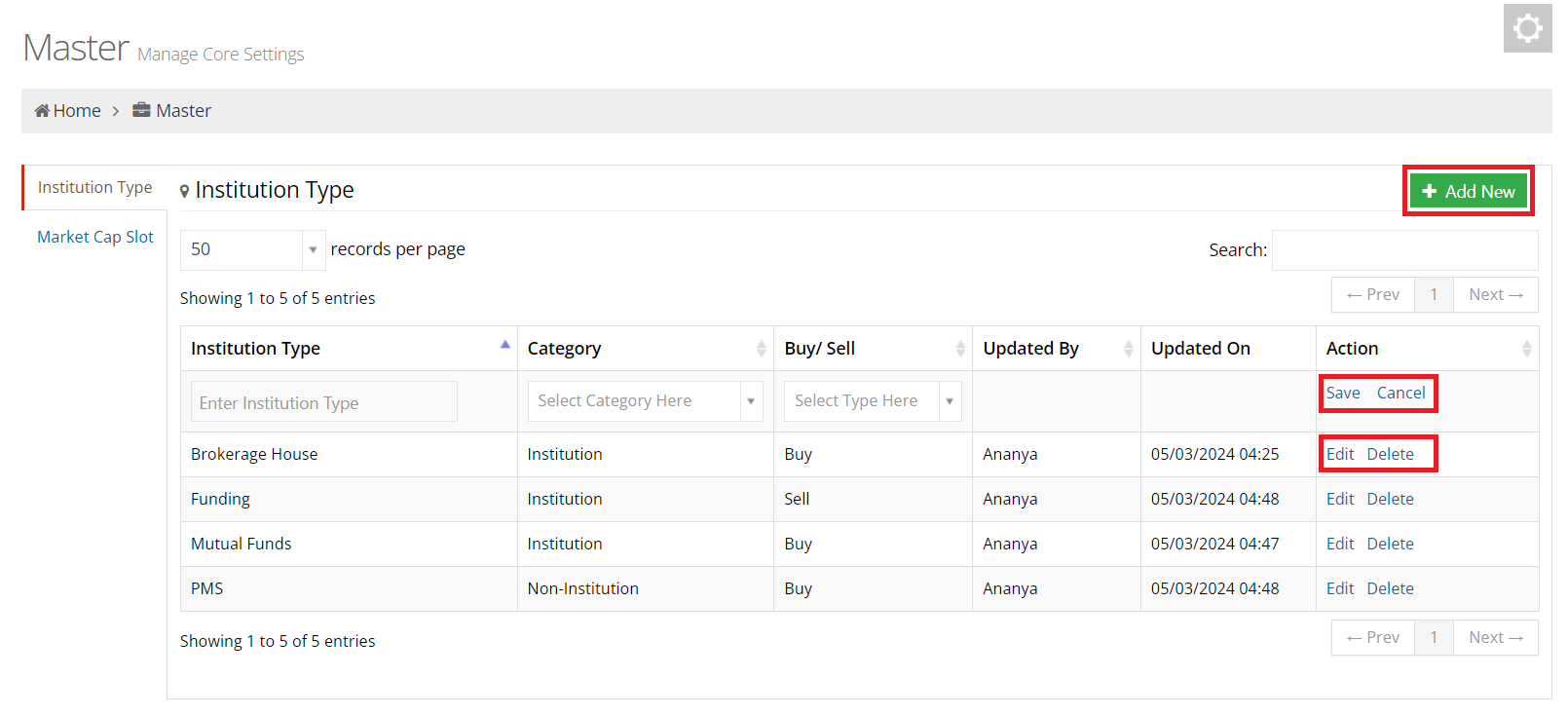
5.1 Institution Type Master
List of Institution Type:
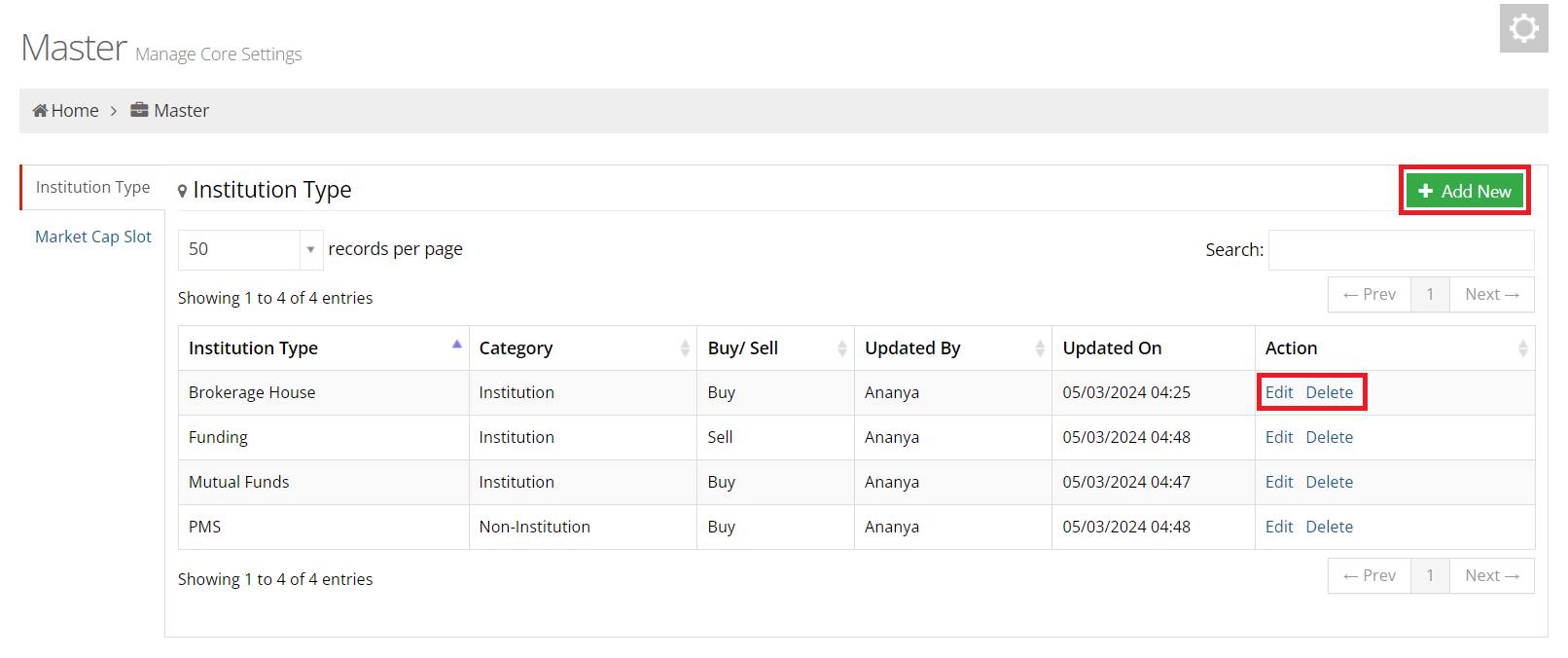
- List: Users can view all records of institution type here.
- Edit: Edit allows you to change the values of a record.
- Delete: Delete allows you to remove a record from the list.
Add Institution Type
- Add New: To add a new institution type, click on the Add New button located in the top right corner of the screen.
- Save: To save the records, click on the "Save" button.
- Cancel: To cancel adding new records, simply click on the "Cancel" button..
5.2 Market Cap Slot Master
List of Market Cap Slot:
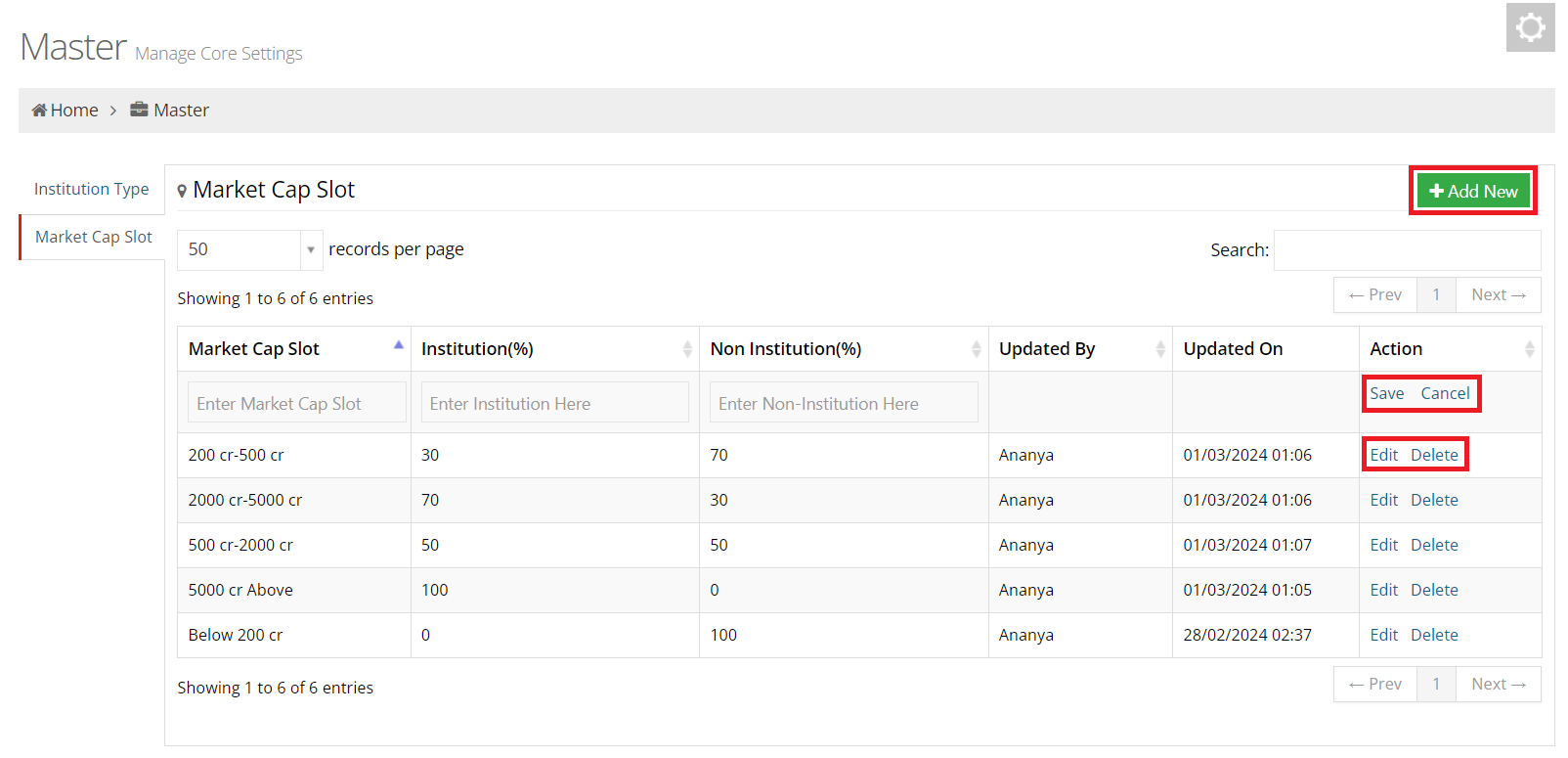
- List: Users can view all records of market cap slot here.
- Edit: Edit allows you to change the values of a record.
- Delete: Delete allows you to remove a record from the list.
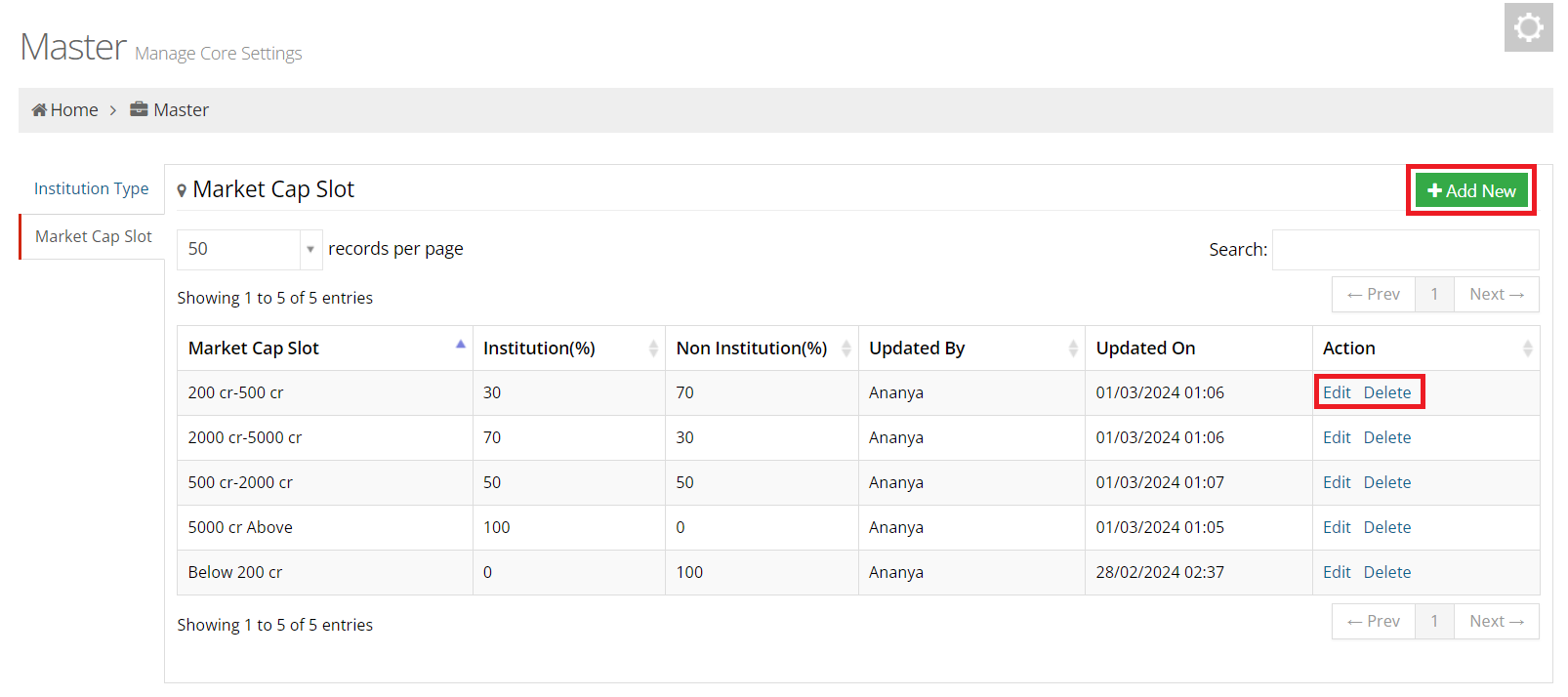
Add Market Cap Slot
- Add New: To add a new market cap slot, click on the Add New button located in the top right corner of the screen.
- Save: To save the records, click on the "Save" button.
- Cancel: To cancel adding new records, simply click on the "Cancel" button..